
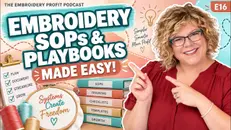
Episode 16: Embroidery SOPs and Playbooks How To Make Them EASY


Grab the free SOS - Stitchout guide for quick fixes for UGLY LEFT CHEST LOGOS
https://hopeyoder.myflodesk.com/guide
Are you overwhelmed by quotes, invoices, ordering blanks, shipping, customer emails, and all the day-to-day tasks of running your embroidery business?
Before you hire a virtual assistant or add another employee, you need simple systems that make training easy. In this episode of the Embroidery Profit Podcast, Hope Yoder shares how embroidery shop owners can create SOPs, playbooks, and short training videos to document repetitive tasks, delegate with confidence, and build a business that does not depend on you doing everything yourself.
You do not need a complicated operations manual or expensive software to get started. Hope breaks down a practical approach inspired by the “Camcorder Method” from Buy Back Your Time: record yourself completing one task, talk through each step, save the video, and turn it into a clear written SOP with AI. The result is a repeatable training system your virtual assistant, in-house staff, or future team members can follow.
In this episode, you’ll learn how to:
- Create simple SOPs for your embroidery business.
- Choose a screen-recording tool such as Camtasia, QuickTime, Loom, or an available PC recording tool.
- Identify the first task to delegate to a virtual assistant.
- Document quoting, invoicing, ordering blanks, shipping, and embroidery machine tasks.
- Build detailed, repeatable invoices using product part numbers, colors, sizes, and quantities.
- Record screen-share SOPs for admin work and phone-video SOPs for embroidery machine operations.
- Use an AI tool to turn a recorded training video into a one-page written SOP.
- Organize SOPs in Google Drive so your team can access and improve living documents.
- Keep each SOP focused on one small task, making it easy to find, follow, and update.
If you are ready to stop multitasking, free up time, and build systems that help your embroidery shop grow, start with one five-minute SOP today. Record one task you repeat often, create the written instructions, and make it easier for your future team to succeed.
Chapters
00:00 Why You Need SOPs Before Hiring Help
00:29 What Is a Virtual Assistant?
03:24 What Is an SOP or Playbook?
04:19 The Camcorder Method for Easy SOPs
05:41 How to Create Your First Embroidery SOP
05:57 Step 1: Choose a Screen Recording Tool
07:20 Step 2: Pick Your First Task to Delegate
14:28 Step 3: Record Your VA Training Video
17:12 Step 4: Export and Store Your SOP Video
18:11 Step 5: Use AI to Create a Written SOP
21:40 How to Organize Your SOP Folders
23:19 How to Record Embroidery Machine Training SOPs
26:28 Build SOPs Into Your Daily Workflow
26:42 Create a Searchable SOP Folder Structure
28:07 Your Challenge: Record Your First SOP Today
28:37 Build Systems Before Your Embroidery Business Grows
Subscribe for more embroidery business tips, embroidery pricing strategies, digitizing advice, customer management systems, and practical ways to grow a profitable custom embroidery business.
🎓 Ready to go all in? Train hands-on with Hope in her Sarasota, FL studio at Embroidery Profit Academy — Small Group or 1-2-1 Training - the small group commercial embroidery workshop that people fly in from across the country to attend. Seats are extremely limited and sell out fast. 👉 Register & read student reviews:
https://hopeyoder.com/product-category/courses/in-person-workshop/
🌐Downloadable Fillable Embroidery Forms - Every business needs https://hopeyoder.com/product/emb-bundle/
🌐Instagram Made Simple Mini Course - https://hopeyoder.mykajabi.com/offers/vkdxwpoz/checkout
📌 Connect with Hope: 🌐 hopeyoder.com 📸 Instagram: @hopeyoder 🎓 Courses: hopeyoder.mykajabi.com 📍 Hands-On Embroidery School in Sarasota
👥 Facebook Community: Embroidery Lounge
👥 Facebook Community: Engraving With Hope Yoder
#EmbroideryBusiness #EmbroideryShop #SOPs #StandardOperatingProcedures #VirtualAssistant #SmallBusinessSystems #EmbroideryProfitPodcast #BusinessAutomation #DelegateMore #EmbroideryTips
00:00.371 --> 00:10.203
[SPEAKER_00]: Hiring help without doing this first almost guarantees you'll waste your money, you'll frustrate your new hire and you'll end up even more overwhelmed.
00:10.603 --> 00:17.351
[SPEAKER_00]: I'm hiring my very first VA virtual assistant and this is what I'm doing to make it all work.
00:18.072 --> 00:22.613
[SPEAKER_00]: Hi, I'm Hope Yoder and you're listening to the embroidery profit podcast.
00:23.113 --> 00:29.334
[SPEAKER_00]: This episode is super practical, so grab a notebook or come back and listen to it again.
00:29.934 --> 00:42.257
[SPEAKER_00]: Now, first of all, VA or a virtual assistant is someone who doesn't live in the same place you do probably in a different country and you can usually hire them to do administrative things
00:44.677 --> 00:54.644
[SPEAKER_00]: you can free up your time and usually a VA if you're hiring in another country is at a lower cost than what our American wages are but it's a great cost for them.
00:54.985 --> 01:12.438
[SPEAKER_00]: It really helps support their family and so I'll talk about hiring a VA maybe in another episode if you guys are interested which according to everyone in my Facebook group the embroidery lounge who's following my journey this tells me you are interested and we'll come back to this in another episode.
01:13.278 --> 01:21.423
[SPEAKER_00]: But, by back your time is an audio book that I am absolutely obsessed with.
01:21.823 --> 01:25.305
[SPEAKER_00]: It's by Dan Martell and you should add it to your list.
01:25.625 --> 01:30.208
[SPEAKER_00]: So you can read the book if you subscribe to Audible and you've got credits.
01:30.408 --> 01:32.129
[SPEAKER_00]: This is a must.
01:32.710 --> 01:38.073
[SPEAKER_00]: Now, a background about this book is in the process of hiring my virtual assistant.
01:38.633 --> 01:43.934
[SPEAKER_00]: I'm using a state side company who's doing all the background checks and finding someone for me.
01:44.134 --> 01:46.355
[SPEAKER_00]: They're like a head hunter, if you will.
01:46.795 --> 01:55.857
[SPEAKER_00]: And they are so incredible because they're holding my hand because I don't even know what that's going to look like other than I can see light at the end of the tunnel.
01:56.357 --> 02:01.098
[SPEAKER_00]: There's so many things that suck up my time every day.
02:01.598 --> 02:02.098
[SPEAKER_00]: How about you?
02:02.118 --> 02:09.303
[SPEAKER_00]: Do you find yourself taking hours to make quotes and invoices and then your ordering and that takes even longer?
02:09.323 --> 02:16.907
[SPEAKER_00]: And by lunch, you haven't done a thing on your list because you're so bogged down with answering emails.
02:17.347 --> 02:18.067
[SPEAKER_00]: and all of that.
02:18.287 --> 02:25.270
[SPEAKER_00]: Now, as the business owner, your zone of genius is not in doing all those tasks.
02:25.811 --> 02:33.894
[SPEAKER_00]: So when I'm talking to the company that's going to find a virtual assistant for me, I started saying things like this.
02:34.074 --> 02:35.454
[SPEAKER_00]: I don't even know where to start.
02:35.695 --> 02:41.857
[SPEAKER_00]: Like what jobs, what I give a VA, and what jobs do I keep, and how am I going to even train them?
02:41.897 --> 02:42.717
[SPEAKER_00]: It seems like it's going
02:46.779 --> 02:51.342
[SPEAKER_00]: All right, if you've had thoughts like that, you need this book as much as I do.
02:51.482 --> 02:54.083
[SPEAKER_00]: Again, buy back your time from Dan Martell.
02:54.643 --> 02:57.065
[SPEAKER_00]: And the headhunter told me to read this.
02:57.285 --> 03:02.788
[SPEAKER_00]: And so I got the audio book, which I'd recommend that over the hard cover or the soft cover book.
03:03.248 --> 03:12.253
[SPEAKER_00]: Because at the end of each chapter, Dan comes in and he gives you real-to-day talk and extra bonuses at each chapter.
03:12.594 --> 03:14.535
[SPEAKER_00]: And so what I'm gonna tell you,
03:15.155 --> 03:17.076
[SPEAKER_00]: came from this book.
03:17.256 --> 03:21.839
[SPEAKER_00]: I want to make sure I give Dan credit never met him, hopefully I will one day.
03:22.519 --> 03:26.601
[SPEAKER_00]: But to do this, uh, let me tell you what this is.
03:26.762 --> 03:34.446
[SPEAKER_00]: Have you heard the term S O P standard operating procedures?
03:34.646 --> 03:41.330
[SPEAKER_00]: It sounds super duper fancy and something that only big companies do, but no, if you're a
03:43.911 --> 03:54.060
[SPEAKER_00]: doing it all alone, stop multi-tasking, come back to me, you need this episode, just like I needed to learn it on my own.
03:54.620 --> 04:03.428
[SPEAKER_00]: Alright, so the idea is, you should come up with SOPs standard operating procedures, or we could just call them a playbook.
04:04.008 --> 04:11.175
[SPEAKER_00]: Because at some point, if you're going to fulfill your dreams and grow bigger so you can make more money,
04:11.875 --> 04:18.942
[SPEAKER_00]: you're going to need something in writing and a video so it's easy to train whoever you hire.
04:19.243 --> 04:19.803
[SPEAKER_00]: Make sense?
04:19.963 --> 04:31.295
[SPEAKER_00]: So that's what an SOP is and Dan broke it down super simple because honestly you guys I'm like how do I have time to record all of that and what does it look like?
04:31.695 --> 04:42.428
[SPEAKER_00]: You know, can I use AI to help me and I couldn't wrap my brain around it and in this book by back your time, he uses something called the camcorder method.
04:42.789 --> 04:48.856
[SPEAKER_00]: And I'm probably not doing it just like he said, but here's what this method is.
04:49.557 --> 04:54.820
[SPEAKER_00]: So in the book, Dan describes how to make an SOP is a lot more simple than what you think.
04:54.860 --> 04:57.282
[SPEAKER_00]: And he calls it the camcorder method.
04:57.802 --> 05:00.784
[SPEAKER_00]: You're going to record yourself performing a task three times.
05:01.204 --> 05:05.287
[SPEAKER_00]: You're going to talk while you record it and you're going to have a trainee watch the video.
05:06.027 --> 05:10.290
[SPEAKER_00]: Read the clip, have it pulled up, simple, almost too simple.
05:10.630 --> 05:12.972
[SPEAKER_00]: And that's why most people never do it.
05:13.512 --> 05:15.754
[SPEAKER_00]: So here's what I'm doing.
05:16.654 --> 05:25.197
[SPEAKER_00]: Based on me reading his book, I'm doing it the easy way using his ideas and kind of hope Yoda of finding it.
05:25.517 --> 05:27.178
[SPEAKER_00]: Is that a word of her probably not?
05:27.638 --> 05:30.799
[SPEAKER_00]: But I want you to listen to this and you're going to figure out a way to do it yourself.
05:30.979 --> 05:32.800
[SPEAKER_00]: But I can't stress enough.
05:33.520 --> 05:37.441
[SPEAKER_00]: While you're working alone, you may think you don't have time to do this.
05:37.542 --> 05:49.086
[SPEAKER_00]: You guys, you have as much time in your day as I have in my day, as much time in your day as Jeff Bezos has in his day, and so you need to carve out that time right now.
05:49.446 --> 05:58.169
[SPEAKER_00]: So let me break this down into the steps that I use to make my playbooks, or my SOPs, or my training videos to hire a virtual assistant.
05:58.589 --> 05:59.290
[SPEAKER_00]: Step 1.
05:59.851 --> 06:02.914
[SPEAKER_00]: You need to pick a screen recording tool.
06:03.615 --> 06:08.640
[SPEAKER_00]: Something that you can record the software while you're recording the task.
06:09.201 --> 06:13.145
[SPEAKER_00]: So I use a program called Camtasia.
06:13.746 --> 06:15.388
[SPEAKER_00]: I've used it for 20 years.
06:15.628 --> 06:16.990
[SPEAKER_00]: I know it really well.
06:17.510 --> 06:27.756
[SPEAKER_00]: And the reason I have this program that I pay for is because I do a lot of software training and the laser and the embroidery world, and I've done that forever, and so I pay for that.
06:28.056 --> 06:29.957
[SPEAKER_00]: So I use Camtasia.
06:30.458 --> 06:39.943
[SPEAKER_00]: But if you don't have Camtasia and you use a Mac computer, there's a built-in program on every Mac that's absolutely free.
06:40.123 --> 06:41.684
[SPEAKER_00]: It's called QuickTime.
06:42.225 --> 06:43.725
[SPEAKER_00]: And you can screen record
06:46.855 --> 06:57.822
[SPEAKER_00]: other options that you could pay for that are super popular is L-O-O-M. Now, at the end of the day, it doesn't matter what you use.
06:58.282 --> 07:01.684
[SPEAKER_00]: If you're on a PC, you've probably got a snipping tool that you can use.
07:02.245 --> 07:10.950
[SPEAKER_00]: I don't care what you use as long as you have something that can record your computer while you're doing the task.
07:11.210 --> 07:11.670
[SPEAKER_00]: That's it.
07:12.051 --> 07:12.271
[SPEAKER_00]: Okay.
07:12.431 --> 07:15.333
[SPEAKER_00]: So step one, find a recording software.
07:16.133 --> 07:17.634
[SPEAKER_00]: pick one and stick with one.
07:17.934 --> 07:21.275
[SPEAKER_00]: If you can find a free one better yet, keep your overhead down.
07:21.735 --> 07:28.277
[SPEAKER_00]: Step number two is to decide if you are me and you are going to hire your first virtual assistant.
07:28.497 --> 07:32.218
[SPEAKER_00]: What's the very first thing that you want them to learn to do?
07:32.338 --> 07:33.899
[SPEAKER_00]: You guys don't overthink this.
07:34.399 --> 07:37.740
[SPEAKER_00]: Ask yourself what takes me the most time
07:38.520 --> 07:40.062
[SPEAKER_00]: that I don't need to do.
07:40.702 --> 07:44.627
[SPEAKER_00]: It could be what do you not enjoy doing during the day?
07:45.247 --> 07:48.030
[SPEAKER_00]: What always frustrates you and you dread it?
07:48.070 --> 07:49.412
[SPEAKER_00]: What do you put off doing?
07:49.472 --> 07:51.274
[SPEAKER_00]: That might be your very first task.
07:51.614 --> 07:53.436
[SPEAKER_00]: Now, what I know what my answer is.
07:54.297 --> 08:00.900
[SPEAKER_00]: It's quotes, invoicing, and then turning around and ordering those blanks from San Mar.
08:01.460 --> 08:10.984
[SPEAKER_00]: You guys the other day, I was starting to doubt if I needed a VA. And I just started thinking in my head, well, I don't really want to part with any money.
08:11.024 --> 08:12.125
[SPEAKER_00]: I don't want to pay someone.
08:12.165 --> 08:13.245
[SPEAKER_00]: I can just do it myself.
08:13.565 --> 08:16.246
[SPEAKER_00]: By the time I train them, my mind is, we'll do it myself.
08:16.887 --> 08:19.228
[SPEAKER_00]: And then I had three quotes to do.
08:20.048 --> 08:22.852
[SPEAKER_00]: It took me three hours to do that.
08:22.912 --> 08:24.914
[SPEAKER_00]: That's like a third of my day.
08:25.455 --> 08:27.978
[SPEAKER_00]: That eats up so much of my time.
08:28.338 --> 08:30.040
[SPEAKER_00]: It's not my zone of genius.
08:30.481 --> 08:32.163
[SPEAKER_00]: I'm not particularly great at it.
08:32.443 --> 08:34.766
[SPEAKER_00]: So that's where I'm going to start.
08:35.427 --> 08:39.011
[SPEAKER_00]: One task, one SOP, and that's it.
08:40.057 --> 08:46.541
[SPEAKER_00]: So in this episode, I'm going to tell you how I made my SOP for invoicing, right?
08:46.802 --> 08:51.284
[SPEAKER_00]: And then you will get the idea behind it, and then you can make SOPs for everything.
08:51.725 --> 08:56.028
[SPEAKER_00]: But I want you to promise me, if you liked what I said.
08:56.974 --> 08:57.514
[SPEAKER_00]: so far.
08:58.635 --> 09:02.856
[SPEAKER_00]: And you're thinking, hey, maybe I need to look at a VA.
09:03.356 --> 09:10.718
[SPEAKER_00]: I want you to promise commit to yourself that within seven days you'll make your first SOP.
09:10.898 --> 09:15.420
[SPEAKER_00]: It should really only take you about five minutes if you do it the way I'm going to teach you.
09:16.260 --> 09:21.344
[SPEAKER_00]: All right, so let's talk about that invoice, invoices are the foundation of my business.
09:21.484 --> 09:24.447
[SPEAKER_00]: They have to be extremely detailed.
09:24.647 --> 09:32.073
[SPEAKER_00]: What I mean by that is if I placed a big order for a client, you know, my white whale, it's a high dollar order,
09:32.433 --> 09:40.418
[SPEAKER_00]: And I had the invoice made, and one year later, they called me and they said, hey, hope, we're ready to reorder, I'm going to make it simple on you.
09:40.438 --> 09:41.719
[SPEAKER_00]: I don't want any changes.
09:41.779 --> 09:47.002
[SPEAKER_00]: I want exactly the same thing you ordered for me last time, shoot me an invoice.
09:48.476 --> 09:53.120
[SPEAKER_00]: Uh, if I went, oh crap, I have no idea what that was.
09:53.180 --> 10:01.247
[SPEAKER_00]: I pull up their invoice and I don't see all the details that I need to quickly reproduce it, then I'm not doing my invoices right.
10:01.747 --> 10:03.829
[SPEAKER_00]: So here's how I do my invoices.
10:04.369 --> 10:06.351
[SPEAKER_00]: I use real part numbers.
10:06.431 --> 10:08.473
[SPEAKER_00]: Now mostly I order from San Mar.
10:08.753 --> 10:12.476
[SPEAKER_00]: I have other vendors I order from, but I'm just going to talk about San Mar right now.
10:13.157 --> 10:13.337
[SPEAKER_00]: So,
10:14.174 --> 10:20.580
[SPEAKER_00]: I need the exact numbers, part numbers, or skew numbers from San Mar's website to order.
10:20.681 --> 10:28.048
[SPEAKER_00]: So on my invoice, I'm not going to put dry fit polo, green, size, medium quantity three.
10:28.508 --> 10:32.172
[SPEAKER_00]: That does not tell me anything to reorder a year from now.
10:32.632 --> 10:34.614
[SPEAKER_00]: Instead, I'm going to put
10:35.575 --> 10:36.596
[SPEAKER_00]: A Nike polo.
10:37.057 --> 10:38.678
[SPEAKER_00]: Let's take a Nike polo for instance.
10:38.778 --> 10:42.682
[SPEAKER_00]: My number one selling polo for women is Nike polo.
10:43.182 --> 10:47.146
[SPEAKER_00]: So the category on the invoice is going to go under embroidered polo.
10:47.866 --> 10:51.750
[SPEAKER_00]: Then in the description of my invoice, it'll say something like this.
10:53.632 --> 11:06.841
[SPEAKER_00]: in k dc 1991 dash women's polo dash embroidered on the second line it's going to say quantity and then I'm going to break down every size so it may be
11:09.178 --> 11:32.456
[SPEAKER_00]: let me back that up before I have that line I'm going to put the color and I'm not going to just put red green blue white I'm going to use the exact color on sand Mars description so for instance not red true red so the second line is going to be the color true red the third line is going to be the quantity and size so I'm going to say parentheses three
11:33.076 --> 11:43.845
[SPEAKER_00]: parenthesis, all right, that means I'm going to order 3, size XL, 20, size 3 XL, 100 size medium.
11:44.566 --> 11:55.174
[SPEAKER_00]: So one invoice line is going to be for only the red NKDC, 1999s, and in the description is every size.
11:56.094 --> 11:56.514
[SPEAKER_00]: got it.
11:57.275 --> 11:57.615
[SPEAKER_00]: All right.
11:57.675 --> 12:02.139
[SPEAKER_00]: So every line has every detail.
12:02.319 --> 12:03.720
[SPEAKER_00]: So it's repeatable.
12:03.760 --> 12:06.242
[SPEAKER_00]: That's how you build a business, not a hobby.
12:06.742 --> 12:07.563
[SPEAKER_00]: So think about that.
12:07.803 --> 12:11.166
[SPEAKER_00]: A year from now I could look up and maybe it's a four page invoice.
12:11.386 --> 12:12.967
[SPEAKER_00]: I hope it's a four page invoice.
12:12.987 --> 12:15.209
[SPEAKER_00]: That means more money, right?
12:15.769 --> 12:18.792
[SPEAKER_00]: And then every color is going to have its own category.
12:18.892 --> 12:20.833
[SPEAKER_00]: So the next one might be Kelly Green.
12:21.414 --> 12:22.114
[SPEAKER_00]: So I would have
12:24.200 --> 12:37.323
[SPEAKER_00]: NKDC1991 color, Kelly Green, I'd list the size and the quantities, all right, then maybe they ordered hats, maybe they ordered Richardson 312 black with a logo embroidered on it.
12:37.763 --> 12:46.425
[SPEAKER_00]: So every single line has the exact part number, the exact color name, the size and the quantity.
12:46.965 --> 12:47.245
[SPEAKER_00]: Wow.
12:47.646 --> 12:49.146
[SPEAKER_00]: Don't hide your part numbers.
12:49.326 --> 12:51.407
[SPEAKER_00]: Give the real numbers instead.
12:51.708 --> 13:09.097
[SPEAKER_00]: I know some shops don't do that and I know that because some clients that I have built relationships actually will send me invoices from other companies that they no longer work with today because their work wasn't good or they didn't deliver on time or they just treated them unfriendly.
13:09.897 --> 13:15.200
[SPEAKER_00]: And I noticed that a lot of the invoices, they don't use the real part numbers, probably add a fear.
13:15.521 --> 13:19.943
[SPEAKER_00]: They're probably afraid that they are gonna send it to someone like me who's gonna know the part number.
13:19.963 --> 13:23.646
[SPEAKER_00]: All right, and I just think that's not a good mentality.
13:23.726 --> 13:25.367
[SPEAKER_00]: For me, I don't care about any of that.
13:25.887 --> 13:33.132
[SPEAKER_00]: At the end of the day, if my client goes somewhere else, that should be a learning lesson that I haven't served them well and that I could do better.
13:33.712 --> 13:37.416
[SPEAKER_00]: So for that reason, I'm not going to worry about making up my own part numbers.
13:37.436 --> 13:39.077
[SPEAKER_00]: I'm going to use the real part numbers.
13:39.137 --> 13:41.379
[SPEAKER_00]: So a year from now, my job is easier.
13:41.399 --> 13:44.742
[SPEAKER_00]: All right, I've created the invoice.
13:44.943 --> 13:46.344
[SPEAKER_00]: I've sent it to the client.
13:47.260 --> 13:48.720
[SPEAKER_00]: Now, here's my payment policy.
13:49.340 --> 14:02.043
[SPEAKER_00]: All right, before I do anything, before I send that invoice to my virtual assistant to order on San Mar for me, the invoice must be paid and full.
14:02.463 --> 14:07.164
[SPEAKER_00]: You guys, I don't blink until my invoice is paid and full for that client.
14:07.544 --> 14:11.965
[SPEAKER_00]: Now, there's a few exceptions, but generally, client comes in, we create an invoice,
14:12.605 --> 14:15.526
[SPEAKER_00]: I don't send it off the design to be digitized.
14:15.846 --> 14:17.027
[SPEAKER_00]: I don't order the parts.
14:17.207 --> 14:18.127
[SPEAKER_00]: I don't design.
14:18.267 --> 14:20.248
[SPEAKER_00]: I don't do anything until it's paid and full.
14:20.688 --> 14:21.028
[SPEAKER_00]: All right.
14:21.428 --> 14:23.829
[SPEAKER_00]: So let's assume that this is paid and full.
14:24.209 --> 14:30.291
[SPEAKER_00]: Now I'm ready to record my SOP for the VA. All right.
14:30.471 --> 14:32.432
[SPEAKER_00]: So step three, do the recording.
14:32.532 --> 14:37.394
[SPEAKER_00]: Step one, figure out what recording software you want to use, step two,
14:37.965 --> 14:43.349
[SPEAKER_00]: create an invoice for a client wait till it's paid pull up that PDF file.
14:43.609 --> 14:56.698
[SPEAKER_00]: Step three is I'm going to have the PDF open and I'm also going to open up the screen recording software that I'm going to use and I'm going to have them side by side and I'm going to hit record.
14:57.318 --> 15:03.843
[SPEAKER_00]: I'm going to walk them through and I'm going to be loud and I'm going to talk everything that I do and it might go something like this.
15:04.683 --> 15:18.748
[SPEAKER_00]: Okay, step one, open San Mar and Log in step two, open the PDF paid invoice copy the part number from the PDF invoice into San Mar's search bar.
15:19.008 --> 15:20.328
[SPEAKER_00]: Click on the product.
15:21.228 --> 15:29.531
[SPEAKER_00]: Find the size, the color and the quantity from the invoice and add that to your shopping cart.
15:30.451 --> 15:32.112
[SPEAKER_00]: Repeat for each item.
15:32.738 --> 15:44.583
[SPEAKER_00]: Copy the part number from the invoice, paste it into San Mar, open that product, find the color, enter the quantity, add it to the shopping cart.
15:44.903 --> 15:59.810
[SPEAKER_00]: Once you have everything in the shopping cart, triple check what's in your cart with the invoice, make sure every line on San Mar you click the drop down menu under multiples.
16:00.510 --> 16:06.636
[SPEAKER_00]: double-check the size, the color, the part name, and the quantity, and then check it again.
16:07.397 --> 16:15.846
[SPEAKER_00]: As a last step, count the product total on the invoice, count the product total in the shopping cart on San Mara.
16:16.266 --> 16:18.488
[SPEAKER_00]: and verify they match.
16:18.888 --> 16:32.797
[SPEAKER_00]: If I haven't met my free shipping minimum, reach out to me to ask me what products I need to order for my embroidery prophet Academy, for my kits, for friends and family, or for myself.
16:33.858 --> 16:36.960
[SPEAKER_00]: Final instruction, do not purchase.
16:37.922 --> 16:39.083
[SPEAKER_00]: leave this in the cart.
16:39.663 --> 16:41.724
[SPEAKER_00]: Notify me when it's triple checked.
16:42.144 --> 16:55.950
[SPEAKER_00]: Side note, if a product is no longer available, do not substitute, but make a spreadsheet and find three substitutes that look similar give me the price and the part number.
16:56.370 --> 17:01.172
[SPEAKER_00]: Also, make sure that everything possible ships out of Jacksonville
17:04.387 --> 17:06.709
[SPEAKER_00]: to me, and we'll be faster shipping.
17:07.069 --> 17:07.510
[SPEAKER_00]: That's it.
17:08.070 --> 17:12.634
[SPEAKER_00]: Okay, I screen-recorded that, and I'm doing the actions as I'm talking through that.
17:12.934 --> 17:13.274
[SPEAKER_00]: All right?
17:13.674 --> 17:17.878
[SPEAKER_00]: So then I'm gonna export that video as an MP4.
17:18.498 --> 17:19.319
[SPEAKER_00]: That step four.
17:19.619 --> 17:21.401
[SPEAKER_00]: Step three is I made the video.
17:21.461 --> 17:26.044
[SPEAKER_00]: Step four is I exported, and I need to find somewhere to store that video.
17:26.485 --> 17:30.408
[SPEAKER_00]: Now to save room on my hard drive, I don't save the native file.
17:30.768 --> 17:34.371
[SPEAKER_00]: For me, the Camtasia file, that takes up a lot of space on my hard drive.
17:34.571 --> 17:36.212
[SPEAKER_00]: I don't need to store that.
17:36.753 --> 17:38.454
[SPEAKER_00]: I'm just going to store the MP file.
17:38.514 --> 17:39.215
[SPEAKER_00]: That's up to you.
17:39.395 --> 17:40.756
[SPEAKER_00]: But I need to figure out where I am.
17:40.876 --> 17:41.797
[SPEAKER_00]: I going to store it.
17:41.877 --> 17:43.758
[SPEAKER_00]: Now, I am a dropbox girl.
17:44.279 --> 17:47.842
[SPEAKER_00]: I have four terabytes in dropbox and it's almost full.
17:47.882 --> 17:51.264
[SPEAKER_00]: So I'm going to have to move that to an external hard drive to free up space.
17:52.225 --> 17:53.746
[SPEAKER_00]: or you could use Google Drive.
17:54.086 --> 17:57.988
[SPEAKER_00]: Now, I think I'm going to use Google Drive for all my SOPs.
17:58.249 --> 17:58.569
[SPEAKER_00]: Why?
17:58.909 --> 18:01.270
[SPEAKER_00]: Number one, I pay for Google Workspace.
18:01.671 --> 18:12.457
[SPEAKER_00]: And number two, when I do write up the document, those documents are alive and I can change them on the fly without having to save something with a new name and all of that.
18:12.737 --> 18:23.842
[SPEAKER_00]: Now step five, you need more than a video, you're gonna need a written script, a written SOP, and this is gonna be super easy to do.
18:24.082 --> 18:28.304
[SPEAKER_00]: All right, that video, my video that I did for San Mar was four minutes long.
18:28.784 --> 18:32.926
[SPEAKER_00]: It probably could have been shorter, but how am I going to make the written document?
18:33.246 --> 18:35.627
[SPEAKER_00]: You guys, this is so easy.
18:36.287 --> 18:37.288
[SPEAKER_00]: easier than you think.
18:37.748 --> 18:56.905
[SPEAKER_00]: If you pay for chat GPT, Claude, Jim and I perplexity are one of those AI subscriptions, you're going to drop that MP4 file into let's just say chat GPT and you're going to give a command, you're going to say make an SOP template for me using this video.
18:57.465 --> 18:57.745
[SPEAKER_00]: Start
19:03.803 --> 19:08.666
[SPEAKER_00]: San Mar ordering is this topic and then have today's date on there.
19:08.966 --> 19:15.650
[SPEAKER_00]: Line two on the SOP, leave a blank, call it video, find video here.
19:15.930 --> 19:20.353
[SPEAKER_00]: And later I'll go back and I'll paste wherever that video is living, a link.
19:20.713 --> 19:26.157
[SPEAKER_00]: Make this one page, don't make a complete sentence just facts, make it bullet points.
19:27.077 --> 19:33.841
[SPEAKER_00]: Now, I will tell you guys, Chad GBT tends to make really, itty bitty fonts that I can barely read.
19:34.342 --> 19:38.104
[SPEAKER_00]: And so standard fonts on a Microsoft Word document are usually 12 points.
19:38.124 --> 19:49.892
[SPEAKER_00]: So you're gonna wanna tell Chad GBT make it 10 point or rather make it 12 point font, make the title bold, make everything else regular font and keep everything black, all right?
19:50.432 --> 19:52.313
[SPEAKER_00]: So here's the checklist.
19:52.934 --> 19:54.335
[SPEAKER_00]: Video at the top,
19:54.975 --> 19:59.638
[SPEAKER_00]: the title is SOP- whatever the training is.
20:00.118 --> 20:06.701
[SPEAKER_00]: Now once I've done that it's going to think it's going to think it's going to think it's going to listen to the video and it's going to draft an SOP.
20:07.082 --> 20:11.184
[SPEAKER_00]: The first time I did this, it took about six or seven times.
20:11.664 --> 20:15.485
[SPEAKER_00]: of it drafting a document to get what I wanted.
20:15.905 --> 20:21.127
[SPEAKER_00]: So you want to spend a lot of time the very first time getting it exactly like you wanted.
20:21.567 --> 20:22.767
[SPEAKER_00]: That's going to be normal.
20:23.408 --> 20:28.149
[SPEAKER_00]: Once you get that SOP like you want it, you're going to tell chat GPT.
20:28.869 --> 20:31.250
[SPEAKER_00]: From now on, use this format.
20:31.790 --> 20:43.682
[SPEAKER_00]: for a template and make everything the same format including the title, the video link, the fonts and everything and keep it to one page.
20:44.022 --> 20:48.566
[SPEAKER_00]: When I do the next SOP, I'm going to keep it in that same chat.
20:48.726 --> 20:51.509
[SPEAKER_00]: I'm not going to open a new thread in chat GPT.
20:51.889 --> 20:54.292
[SPEAKER_00]: I'm just going to have one category,
20:54.692 --> 21:02.640
[SPEAKER_00]: And every time I do a new SOP, it's gonna just be dropped into that same section underneath it.
21:03.081 --> 21:05.283
[SPEAKER_00]: And that keeps everything nice and clean.
21:05.403 --> 21:07.906
[SPEAKER_00]: It's gonna keep those templates looking good.
21:08.186 --> 21:08.987
[SPEAKER_00]: And that's it.
21:09.647 --> 21:11.770
[SPEAKER_00]: Really, what do you guys think about that?
21:12.270 --> 21:14.872
[SPEAKER_00]: Hopefully, it's easier than it sounds.
21:14.952 --> 21:21.415
[SPEAKER_00]: I think the hardest thing for you is going to be finding a recording software and don't spend too long, right?
21:21.595 --> 21:25.217
[SPEAKER_00]: Free is better than paid for if you've already got something just use that.
21:25.958 --> 21:27.199
[SPEAKER_00]: It doesn't need to be polished.
21:27.219 --> 21:28.459
[SPEAKER_00]: You don't need to crop it.
21:28.519 --> 21:32.702
[SPEAKER_00]: You don't need to edit the video and splice it and do all those fancy things.
21:33.462 --> 21:40.744
[SPEAKER_00]: just record the darn video uploaded into chat GPT to get a written document.
21:41.304 --> 21:43.505
[SPEAKER_00]: Figure out where you're going to store it.
21:44.165 --> 21:48.107
[SPEAKER_00]: I'm going to use Google and so this is what that's going to look like.
21:48.287 --> 21:52.968
[SPEAKER_00]: Okay, so Google will have a category called SOP.
21:53.488 --> 21:55.989
[SPEAKER_00]: Inside of that, there's going to be a subfolder
21:59.500 --> 22:00.120
[SPEAKER_00]: or VA.
22:00.381 --> 22:07.285
[SPEAKER_00]: Inside of that, there will be hundreds of SOPs with one task only like what we just did.
22:07.886 --> 22:10.267
[SPEAKER_00]: So it might be San Mar ordering.
22:10.627 --> 22:12.249
[SPEAKER_00]: It might be Pirate Shipping.
22:12.869 --> 22:16.131
[SPEAKER_00]: It might be sending a quote into a sauna.
22:16.431 --> 22:19.633
[SPEAKER_00]: It might be how to answer a quote.
22:19.794 --> 22:21.835
[SPEAKER_00]: It might be pricing on patches.
22:22.760 --> 22:30.329
[SPEAKER_00]: Every SOP that you make needs to be short and for one task only, don't do a really long SOP.
22:30.770 --> 22:34.754
[SPEAKER_00]: Nobody will sit there and do search for it, right?
22:34.795 --> 22:39.140
[SPEAKER_00]: Looking for multiple things, think about Instagram, Instagram or TikTok, just
22:39.660 --> 22:42.001
[SPEAKER_00]: Fast in and out one task only.
22:42.181 --> 22:42.521
[SPEAKER_00]: All right.
22:42.801 --> 22:47.702
[SPEAKER_00]: Another SOP that I recorded for my in-house staff is how to ship.
22:47.782 --> 22:57.045
[SPEAKER_00]: We use pirate ship and so I did one video that had two methods and on pirate ship it's linked to my website with WooCommerce shopping cart.
22:57.545 --> 23:08.368
[SPEAKER_00]: So I did a video on how I ship from an order that's on my website and then I did had a ship in order from square employees that SOP didn't have had a package.
23:09.028 --> 23:10.889
[SPEAKER_00]: it didn't have where to drop it off.
23:11.089 --> 23:14.511
[SPEAKER_00]: It was just simple SOP for pirate ship.
23:15.031 --> 23:19.594
[SPEAKER_00]: So keep it simple, assume they know nothing and make it super clear.
23:20.014 --> 23:23.856
[SPEAKER_00]: Now let's talk about hiring someone to run your equipment.
23:24.156 --> 23:32.763
[SPEAKER_00]: You're going to want SOPs for that, for instance, you may hire someone to run your embroidery machines and here's how I record those SOPs.
23:32.823 --> 23:43.170
[SPEAKER_00]: I've done several of them and I don't use screen recording software obviously because I'm not on my computer, it's so simple you guys buy a tripod with a cell phone mount.
23:43.390 --> 23:45.572
[SPEAKER_00]: I use an iPhone, so I bought an iPhone mount.
23:45.972 --> 23:46.333
[SPEAKER_00]: You're going to
23:47.033 --> 23:52.815
[SPEAKER_00]: Record horizontal, like a YouTube video, not vertical, like you do for Instagram or TikTok.
23:53.315 --> 23:54.976
[SPEAKER_00]: You want it vertical.
23:55.156 --> 23:56.156
[SPEAKER_00]: I mean, sorry, horizontal.
23:56.936 --> 23:58.177
[SPEAKER_00]: Sorry, horizontal.
23:58.697 --> 24:07.980
[SPEAKER_00]: So set up your phone on a tripod and then just quickly record maybe you're going to teach him how to use your brand of embroidery machine and the screen.
24:08.460 --> 24:15.082
[SPEAKER_00]: So you're going to hold it up and you're just going to say this is an SOP for how to pull up a design center it.
24:15.482 --> 24:16.804
[SPEAKER_00]: and pull up the colors.
24:17.465 --> 24:25.495
[SPEAKER_00]: So my tripod is here, and I'm going to quickly say step one, open the design, choose USB or machine memory.
24:26.251 --> 24:28.232
[SPEAKER_00]: Step two, select the design.
24:28.433 --> 24:31.335
[SPEAKER_00]: Step three, select the proper hoop.
24:31.795 --> 24:34.517
[SPEAKER_00]: Step four, select the colors.
24:35.177 --> 24:39.160
[SPEAKER_00]: Step five, push lock embroidery mode.
24:39.400 --> 24:40.961
[SPEAKER_00]: Step six, trace.
24:41.662 --> 24:44.284
[SPEAKER_00]: Step seven, push start.
24:44.504 --> 24:54.591
[SPEAKER_00]: Now on that SOP, I would not want to go in to everything like, you know, how to check if the design is right, how to check if the bobbin thread is incorrectly.
24:55.340 --> 24:57.741
[SPEAKER_00]: guys will be right back to the show in a minute.
24:57.841 --> 25:04.602
[SPEAKER_00]: But did you know that I offer a hands-on embroidery school where I teach you to get your shop up and running over a weekend?
25:04.982 --> 25:17.065
[SPEAKER_00]: We work on real commercial machines on real project and not only am I going to train you to get your shop up and running, but I'm going to give you my entire framework and my system and workflow.
25:17.365 --> 25:21.406
[SPEAKER_00]: So you don't have to spend years figuring out what you're doing wrong.
25:21.666 --> 25:26.207
[SPEAKER_00]: You can get right back up into making money and quit staying stuck.
25:26.548 --> 25:28.688
[SPEAKER_00]: I'd love to see you in one of my next courses.
25:29.148 --> 25:35.530
[SPEAKER_00]: So the link will be in the show notes or you can go to hopeyotor.com and look under the tab courses.
25:35.870 --> 25:37.370
[SPEAKER_00]: Let's jump right back in.
25:37.891 --> 25:39.831
[SPEAKER_00]: So notice that was just one topic.
25:39.871 --> 25:41.011
[SPEAKER_00]: How to pull a design up?
25:41.912 --> 25:42.932
[SPEAKER_00]: How to select the hoop?
25:43.911 --> 25:48.699
[SPEAKER_00]: how to pick the colors, how to lock it, how to trace it, how to start the design.
25:48.739 --> 25:49.941
[SPEAKER_00]: There was nothing more on there.
25:50.481 --> 25:53.346
[SPEAKER_00]: So you just want that as a simple SOP.
25:53.646 --> 25:54.428
[SPEAKER_00]: You're gonna record it.
25:54.588 --> 25:58.574
[SPEAKER_00]: You're gonna throw your video from your phone into chat GPT.
25:59.475 --> 26:04.661
[SPEAKER_00]: have it make a written document decide where you're going to store it, hyperlink it, and that's it.
26:05.122 --> 26:12.690
[SPEAKER_00]: Just every little thing start recording it, and honestly, you could do the embroidery process once a day.
26:12.850 --> 26:18.577
[SPEAKER_00]: Every time you do something, making SOP, it shouldn't be more than a minute long, okay?
26:19.057 --> 26:29.000
[SPEAKER_00]: Not an entire process, don't tell them the background and the theory behind it, just say, push step one, push here, push here, push here, and that's it.
26:29.561 --> 26:33.542
[SPEAKER_00]: Every little thing that you do, record it and SOP it.
26:34.002 --> 26:37.423
[SPEAKER_00]: Next time something happens, they'll have that SOP.
26:37.463 --> 26:41.625
[SPEAKER_00]: They can handle it on their own without interrupting what you're doing.
26:41.845 --> 26:42.965
[SPEAKER_00]: And you just keep on working.
26:43.753 --> 26:46.235
[SPEAKER_00]: Let's talk a little bit more about the folder structure.
26:46.295 --> 26:50.057
[SPEAKER_00]: So I mentioned I'm going to be using Google Drive because the documents are living.
26:50.458 --> 26:58.083
[SPEAKER_00]: That means when my VA or my associate looks at the document, I want them to find my mistakes.
26:58.103 --> 26:59.764
[SPEAKER_00]: You guys, I make a lot of mistakes.
26:59.964 --> 27:05.428
[SPEAKER_00]: I don't know about you, because in my head, I know what to do, and so I might skip a step.
27:05.888 --> 27:10.209
[SPEAKER_00]: So if it's in Google Drive and I tell them find my mistakes, did I leave out a step?
27:10.809 --> 27:16.971
[SPEAKER_00]: I can easily just change that document and it's going to change it when they see it.
27:17.031 --> 27:23.172
[SPEAKER_00]: It's going to be a living document, unlike Microsoft Word and uploading it into Dropbox.
27:23.352 --> 27:26.513
[SPEAKER_00]: I'd have to save over it, delete the old document.
27:26.653 --> 27:32.214
[SPEAKER_00]: So Google Drive, while I'm not a huge fan of it for this case, that's where my SOPs are going to live.
27:35.715 --> 27:41.540
[SPEAKER_00]: Packing and shipping and inside of that maybe you have a 15 individual SOPs, all right?
27:41.860 --> 27:52.208
[SPEAKER_00]: You may have another folder DTF printing operations with a lot of subfolders like start of day, end of day, small runs, large runs, trouble shooting.
27:52.808 --> 27:56.651
[SPEAKER_00]: You may have another folder that says embroidery machine operations.
27:56.691 --> 28:00.154
[SPEAKER_00]: You may have another folder that says admin and client management.
28:00.654 --> 28:07.280
[SPEAKER_00]: Your goal is to make that super easy for anybody to find the task they're looking for.
28:07.920 --> 28:13.525
[SPEAKER_00]: So they can watch the video and they can complete the task without interrupting what you're doing.
28:14.005 --> 28:16.787
[SPEAKER_00]: You guys do this today.
28:17.248 --> 28:18.429
[SPEAKER_00]: Find something.
28:18.449 --> 28:19.269
[SPEAKER_00]: All right.
28:19.289 --> 28:20.050
[SPEAKER_00]: I'm going to challenge you.
28:20.150 --> 28:21.952
[SPEAKER_00]: Find one simple task.
28:22.592 --> 28:31.759
[SPEAKER_00]: on your cell phone right now because I know you guys have a cell phone and record one, bring it into chat GPT and make your very first SOP.
28:31.860 --> 28:32.300
[SPEAKER_00]: Yay!
28:32.400 --> 28:33.401
[SPEAKER_00]: And I want to hear about it.
28:34.433 --> 28:37.735
[SPEAKER_00]: All right, pick a subject, record it, build it.
28:38.055 --> 28:44.518
[SPEAKER_00]: You guys have the same amount of hours in your day as that shop around the corner that runs 100 embroidery machine heads.
28:45.079 --> 28:53.423
[SPEAKER_00]: The difference between us and them is they probably already have systems and we're building them starting today.
28:53.863 --> 29:02.150
[SPEAKER_00]: The time to do this is when you're small, when you're doing everything yourself, don't think of it as I don't have time to do this.
29:02.590 --> 29:11.258
[SPEAKER_00]: Think of it as I don't have time to not do this if I'm going to build the future that I know I deserve.
29:11.718 --> 29:14.000
[SPEAKER_00]: Stop handing it off to someone else.
29:14.140 --> 29:16.442
[SPEAKER_00]: Stop putting it off, do it yourself.
29:16.862 --> 29:19.224
[SPEAKER_00]: and grow the business you dream of.
29:19.585 --> 29:24.810
[SPEAKER_00]: Hey, if you guys have a better way or a different way that you make SOPs shoot me an email.
29:25.603 --> 29:26.865
[SPEAKER_00]: I'd love to hear this.
29:27.406 --> 29:36.098
[SPEAKER_00]: If this episode has helped you, let me know and please leave us a review on Apple Podcast to help us get more reach.
29:36.599 --> 29:47.654
[SPEAKER_00]: Next time you're thinking about your business and being overwhelmed, it might be time to hire someone but today before you fill that way, it's time to make your SOPs.
29:48.355 --> 29:53.382
[SPEAKER_00]: I'm Hope Yoder, this is the embroidery profit podcast and I'll see you next time.


